
Every signal,
one surface.
Strata puts metrics, services, alerts, and logs on one dark, query-first surface — with an AI Copilot that reads your live telemetry and tells you what's firing, why a service is degraded, and who to page. Use it in the browser, or install the Windows app.
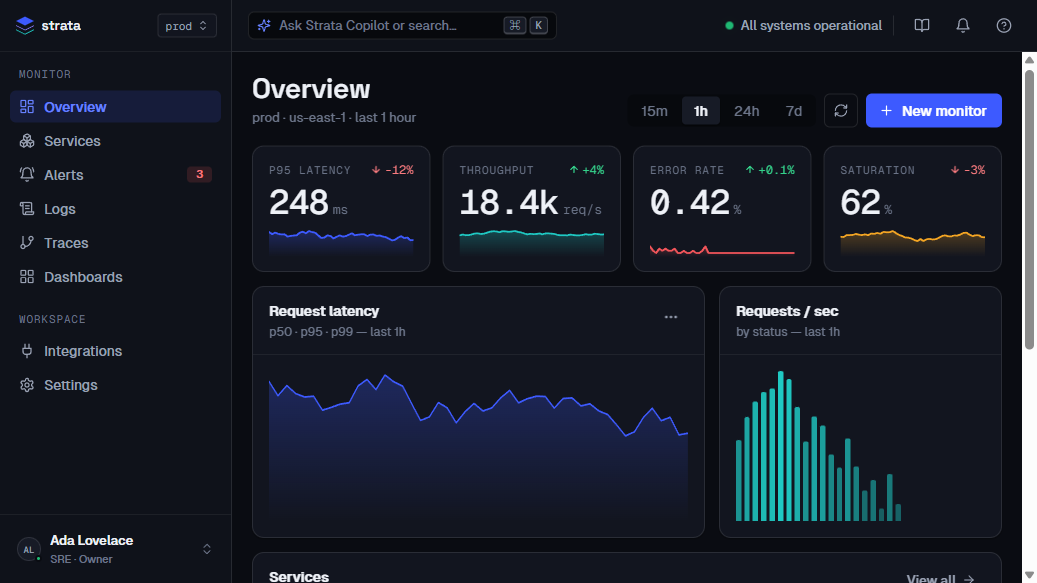
One dashboard
Overview, Services, Alerts, Logs, and per-service drill-down — dense tables, stat cards, and charts in a single surface.
AI Copilot
Ask in plain language — "what's firing?", "why is payments-worker degraded?", "who do I page?" — and get answers grounded in the live data.
Browser or desktop
Run it instantly in the browser after sign-in, or download the native Windows app for a desktop window.
Sign in
Click Sign in to enter Strata. (Account & billing are being set up — the demo opens directly for now.)
Open the dashboard
Land on Overview: p95 latency, throughput, error rate, and the services table.
Navigate
Use the sidebar — Services, Alerts, Logs — and click any service to drill in.
Ask the Copilot
Press ⌘/Ctrl-K or the top bar to ask about prod health, incidents, or any service.
14aaa37348c82fcf365bf024044428f367da93be58d02a4215b30997d7d384a7Get-FileHash .\Strata-Setup-x64.exe -Algorithm SHA256 · checksum.txt